


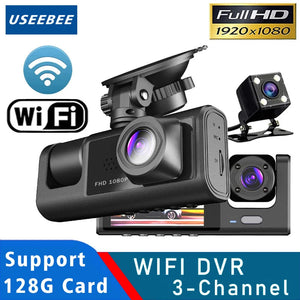
3 Channel Wifi Car Dvr Dash Cam With Cabin Camera 1080P
★ 30-Day Easy Returns
★ Safe & Premium Material
★ Secure Checkout
See every angle when it matters
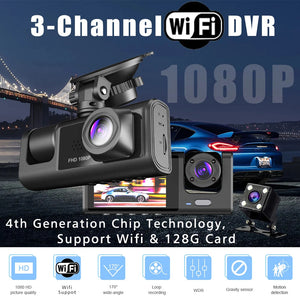
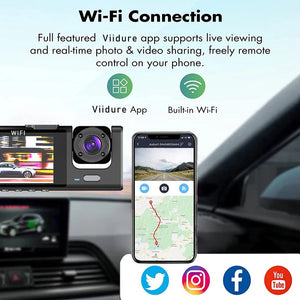
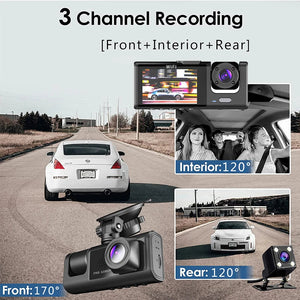
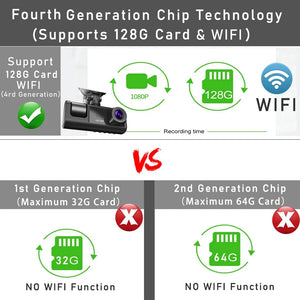
You know the feeling when something happens on the road and later you realize you only captured part of the story. The front view is missing the cabin moment, or the rear view is unclear when backing up. This 3 channel car DVR records front, interior, and rear views in 1080P, with WiFi support so you can connect to the Viidure app for live viewing and easy control from your phone.
To connect by WiFi, open the DVR WiFi settings menu to find the SSID and password, then use the Viidure app on your phone to join the DVR’s WiFi signal. After pairing, you can view live footage and operate the DVR through the app.

What makes it special
- Three camera coverage: Records 3 channels including front, interior, and rear, so you capture what happens outside the car and inside the cabin without switching views during a drive.
- WiFi phone control: Connects to the Viidure app for live viewing and control from your phone, making it easier to check footage, view in real time, and share photos or videos.
- 1080P recording clarity: Uses 1920x1080 resolution recording to help keep key details visible during playback, with support for 1080P, 720P, and VGA recording settings.
- Loop recording support: Seamless loop cycle recording keeps the camera recording continuously, so ongoing driving footage stays updated without manual file management during regular use.
- NightShot support: NightShot function helps the camera record when lighting is low, useful for evening driving and darker parking areas where details are harder to see.
- Built in screen preview: Includes a 2 inch built in screen so you can view and manage recordings directly on the device without relying only on a phone.
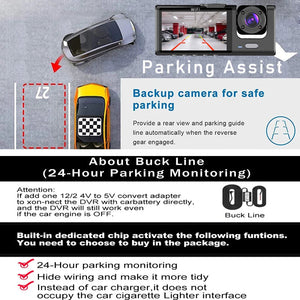
- Parking monitor support: Supports a parking monitor feature for recording while parked, with the option to power through dedicated Buck Line accessories if needed.
- G sensor protection: G Sensor support helps detect impacts, adding an extra layer of event focused recording support alongside other features like motion detection.
Who it’s for
- Drivers who want front, cabin, and rear coverage in one setup
- Rideshare and taxi drivers who need an interior cabin camera
- Commuters who want WiFi access through a phone app
- People who drive often at night and need NightShot support
- Anyone who wants loop recording for everyday driving footage

How to Use
- Format the memory card on the DVR before first use by long pressing the M key to enter the menu, then select the format option.
- For WiFi, open the DVR WiFi settings to find SSID and password, then connect using the Viidure app on your phone.
- If the DVR crashes or will not power on, press and hold the reset hole marked R for 3 seconds using a small tool.
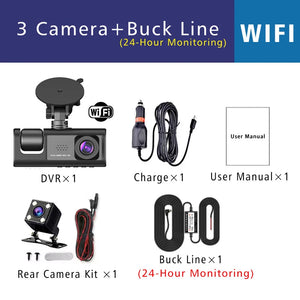
- For reversing assist, connect the rear camera red signal wire to the car’s reversing light, or leave it disconnected if not needed.
Product Details
- Item type: Car DVR
- Number of lenses: 3
- Camera resolution: 1920x1080
- Frames per second: 30
- Display size: 2 inches
- Audio recorded: Yes
- Rear camera: Yes
- NightShot function: Yes
- Loop cycle recording: Yes
- Max external memory: 128G TF card
- Memory card speed requirement: Class 10
- File format: AVI
- Power source: Corded electric
- Voltage and current: 5V 1A
- Interface: USB
- Frequency: 50HZ and 60HZ
- Special features: G Sensor, digital zoom, motion detection, WiFi function, parking monitor, anti fog, anti vibration, WDR, 3D DNR, real time surveillance, automatic white balance, anti surge voltage impact
- OSD languages: Arabic, Chinese Simplified, English, French, German, Hebrew, Italian, Japanese, Korean, Portuguese, Russian, Spanish
Additional Details
- Requires a high speed C10 or higher memory card for normal use.
- 24 hour parking monitoring support may require Buck Line accessories to replace the car charger.
What’s Included
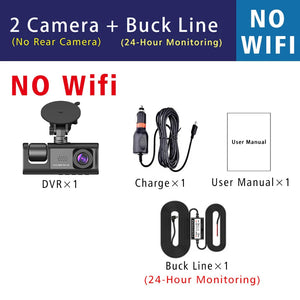
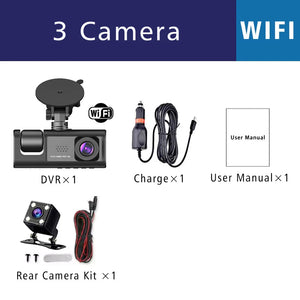
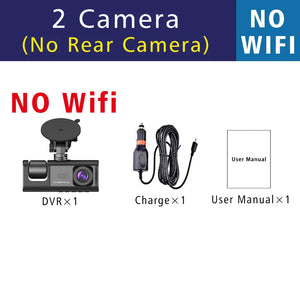
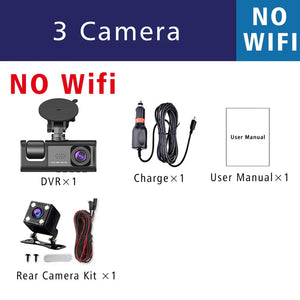
- 1 x 3 Channel WiFi Car DVR Dash Cam with Cabin Camera 1080P
3 Channel Wifi Car Dvr Dash Cam With Cabin Camera 1080P
FAQs
1. Which countries do you deliver to?
2. How much do I need to pay for shipping?
3. How secure is my online order?
4. How to track my order?
You will receive an e-mail containing a tracking number once your order shipped.
Click this link https://www.17track.net/en and then enter the tracking number.
You can also contact our customer service team support@auprobuy.com for the latest logistics information.


